
You've been there. You're scrolling Instagram, you tap on a story, there's a product, a bag, a skincare serum, a pair of sneakers, and you think: I need to look at this later. So you bookmark it. Or screenshot it. Or you just keep scrolling.
Then three weeks pass. You remember the thing, but you have no idea where you saw it. You search your bookmarks. You scroll through your camera roll. You look through your DMs. Nothing.
Instagram's save feature is one of the biggest lies in UX design. It feels like you're saving something. In reality, you're throwing it into a black hole.
The Problem With Instagram's Native Save Feature
Instagram lets you save posts into Collections, folders you can name and organize manually. Sounds good, right? Except:
You have to manually categorize everything. If you don't immediately drag it into the right collection, it goes into a pile of unsorted saves that you will never revisit. Story links disappear in 24 hours. If someone shares a product link in their story, and you don't save it right now, it's gone forever. Saved posts don't include the URL, you can see the post, but Instagram doesn't give you a clickable product link. The algorithm buries your saves, Instagram's Saved tab isn't easy to navigate. There's no search, no smart sorting, no way to find what you're looking for without scrolling. And you can't save from outside Instagram, that restaurant your friend texted you about, the recipe you saw on TikTok, the shoe brand someone mentioned in a Reddit thread, Instagram can't capture any of that.
What Actually Works
The best way to save Instagram links, and actually find them later, is to use a tool that's built for saving and finding, not for scrolling.
Sorti is an AI-powered app that captures everything you save from anywhere, Instagram posts, story links, screenshots, TikTok videos, browser links, texts from friends, and automatically categorizes everything into smart folders.
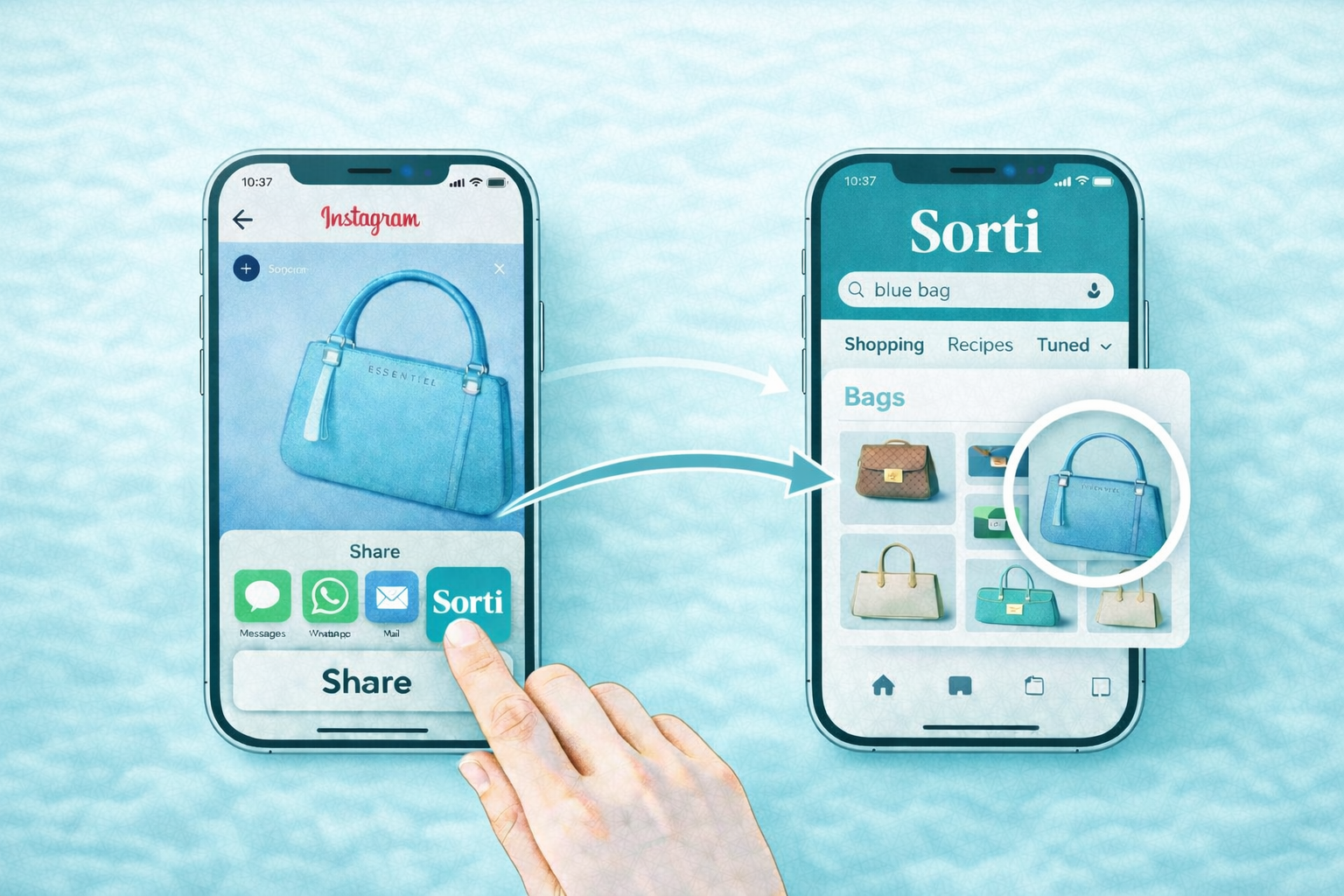
Here's what that looks like in practice. You see a product in an Instagram story. Instead of hoping you'll remember it, you screenshot the story or share the link to Sorti. Within seconds, Sorti reads the screenshot with OCR, identifies the product, and files it under Shopping, with the brand name, product type, and any price information it can extract.
You see a recipe someone shared. Sorti categorizes it under Recipes. It pulls out the dish name, the ingredients if visible, and the source. Later, when you're actually ready to cook, you search "pasta" and it's right there.
You see a travel recommendation in a Reel. Sorti puts it in Travel. The location name, the account that posted it, the place, all extracted and searchable. No manual sorting. No forgetting. No black holes.
How to Save Instagram Links With Sorti
Screenshot the post or story. Sorti automatically picks up new screenshots and processes them in the background. Use the share sheet, from Instagram or any app, tap Share then Share to Sorti. The link is captured with the original URL intact. Search later by meaning. Don't remember the name? Just search "blue bag" or "vitamin C serum" or "Rome restaurant" -Sorti finds it by what it is, not what you called it.
The Difference Between Saving and Finding
The problem has never really been about saving. You're already saving constantly. The problem is finding, being able to retrieve what you saved when you actually need it.
Instagram's bookmarks solve saving. They don't solve finding. Sorti solves both.
Every save gets automatically tagged by category, shopping, recipes, travel, places, outfits, workouts, skincare, products. Every save is searchable by meaning. Every save stays connected to its original source link, so you can always go back.
And unlike Instagram's bookmarks, Sorti works for everything. Not just Instagram. Not just links. Screenshots, shared links, TikTok saves, browser bookmarks, it all goes into one place, organized the same way.
What About Instagram's Close Friends and DMs?
A lot of product saves don't happen in your feed. They happen in DMs. A friend sends you a link. Someone messages you a product they saw. A group chat shares a restaurant recommendation.
With Sorti, you can forward those DMs or share those links directly into the app. It captures the content, not just the URL, so even if the link breaks six months from now, you still have a record of what it was.
Stop Losing Things You Wanted
You don't forget things because you're disorganized. You forget them because the tools you're using weren't built to help you remember. Instagram is a discovery platform. It is great at showing you new things. It was never designed to help you act on them. Sorti is. It's the layer between "I saved this" and "I actually did something about it."
Download Sorti for free, iOS and Android, and start building a library of saves you can actually use.